


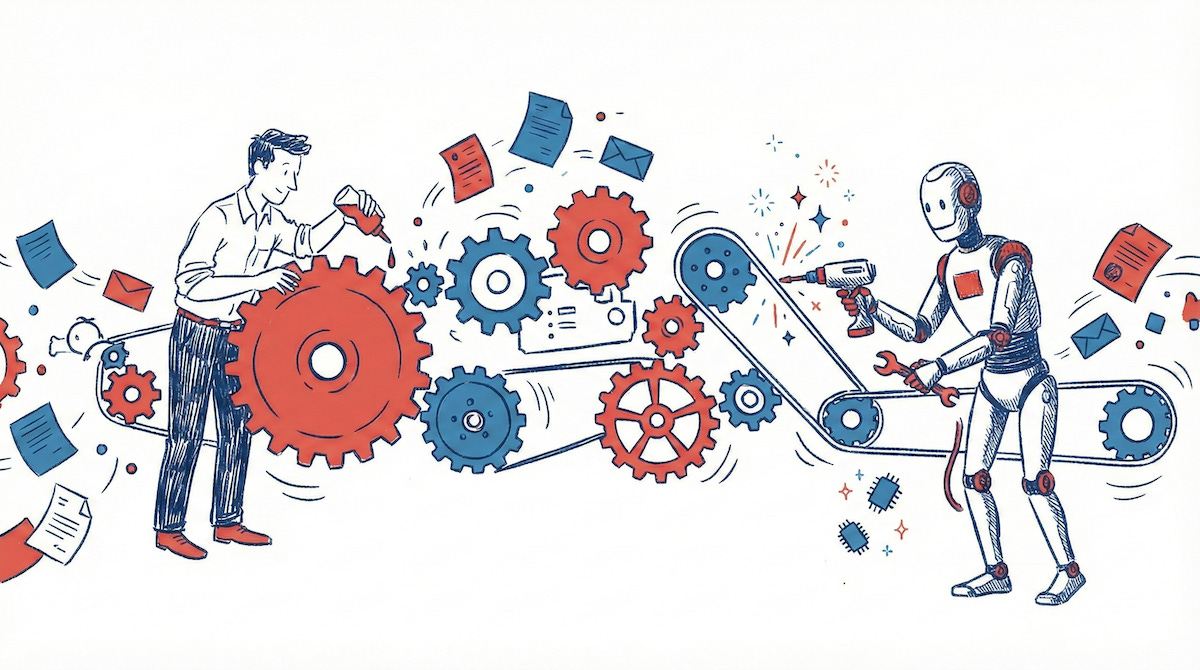
Documentation, reports, specifications, emails… Modern businesses generate so much content that one might think it is the reason they exist. With few exceptions, producing this content is a chore that most humans will happily outsource to AI.
But as AI commoditises content, attention shifts to workflow design. AI agents can use applications to complete tasks with some degree of autonomy. But where do they fit in your workflow?
Dropping an agent into a broken process merely accelerates chaos. To deploy them effectively, we must first look at Workflow Design.
Key concepts
As content gets commoditised, focus shifts to workflow design
Use a framework like Dynamic Work Design for a structured approach
Visualise with n8n to expose gaps between ambition and reality
Find improvements in information disconnects between tasks
Use AI agents to fix and automate slow and repetitive processes
1. Dynamic Work Design framework
Developed at MIT, Dynamic Work Design (DWD) is a “process of ongoing, hands-on problem-solving” that helps teams replace chaos with a calmer, more effective workflow. It is grounded in common sense: once you understand its principles, you keep seeing applications everywhere.
Solve the right problem. Resist strategic reviews; look for small disconnects in high-impact areas.
Structure for discovery. Ensuring that measurements are in place to link targets to real-world metrics.
Connect the human chain. Examine how tasks are handed over, and precisely what information the next link needs.
Regulate for flow. Matching tasks to capacity to avoid backlogs and burnout.
Visualise the work. Use a system that illustrates the process, owners, capacity, and work in progress.
DWD is particularly helpful in customer-centric problems. Can we speed up onboarding from 5 days to 5 hours? Can 90% of service queries be responded to within 9 minutes? If you are unsure where to start, begin by visualising your current workflows.
2. Using a workflow design tool
The second ‘D’ in DWD is important: the framework is based on Design Thinking, which solves problems through iteration and visual representation. To help “visualise the work”, we can use an automation tool like n8n (Make and Zapier are also good).

Acting as a “Figma for workflows”, these tools allow us to map:
Tasks of different types and scopes, connected sequentially or branching into conditionals and sub-workflows.
Information requirements, or data properties that must be entered manually or automatically.
Capacity tracking to monitor work items as they move through the system (what n8n calls “Executions”)
Simulations that allow you to trigger tasks, monitor running time and test interventions.
To begin with, run n8n in “Design Mode”, using only manual tasks. Ensure your design reflects how tasks get passed from one person to another in the real world. Many companies reach the first “aha” moment here, as missing links and dependencies come to light.
3. Fixing information disconnects
The third rule of DWD (“Connecting the human chain”) relies on two specific states: the Handover and the Huddle.
Ideally, each task should contain enough information for the next person to begin immediately. This is a clean Handover. If the information is incomplete or ambiguous, the team will organise a Huddle. A Huddle resolves the issue, but it consumes time and capacity.
Take a look at your workflow and search for disconnects:
When a task is handed over, are the recipient’s information needs clear to the sender?
When a task requires a Huddle, is that meeting necessary, or is it just covering for a lack of documentation?
Are there clear triggers to switch a Handover to a Huddle when exceptions occur?
Is there sufficient capacity (redundancy) to handle spikes in volume?
Many disconnects will be resolved through communication. When team members understand how their work output is used upstream, they adapt. Others need management to rearrange tasks and capacity.
Rule-based automations can speed up many mundane tasks, such as data transformation, system integrations, and sending notifications. When all these interventions are in place, you should consider AI agents.
4. Automating with AI Agents
AI Agents are built on the intersection of automated workflows and LLMs. They excel where logic is required - territory beyond the reach of standard, rule-based automation. We rely on three key components: an LLM for reasoning, persistent memory for context, and tools for accessing and modifying data.
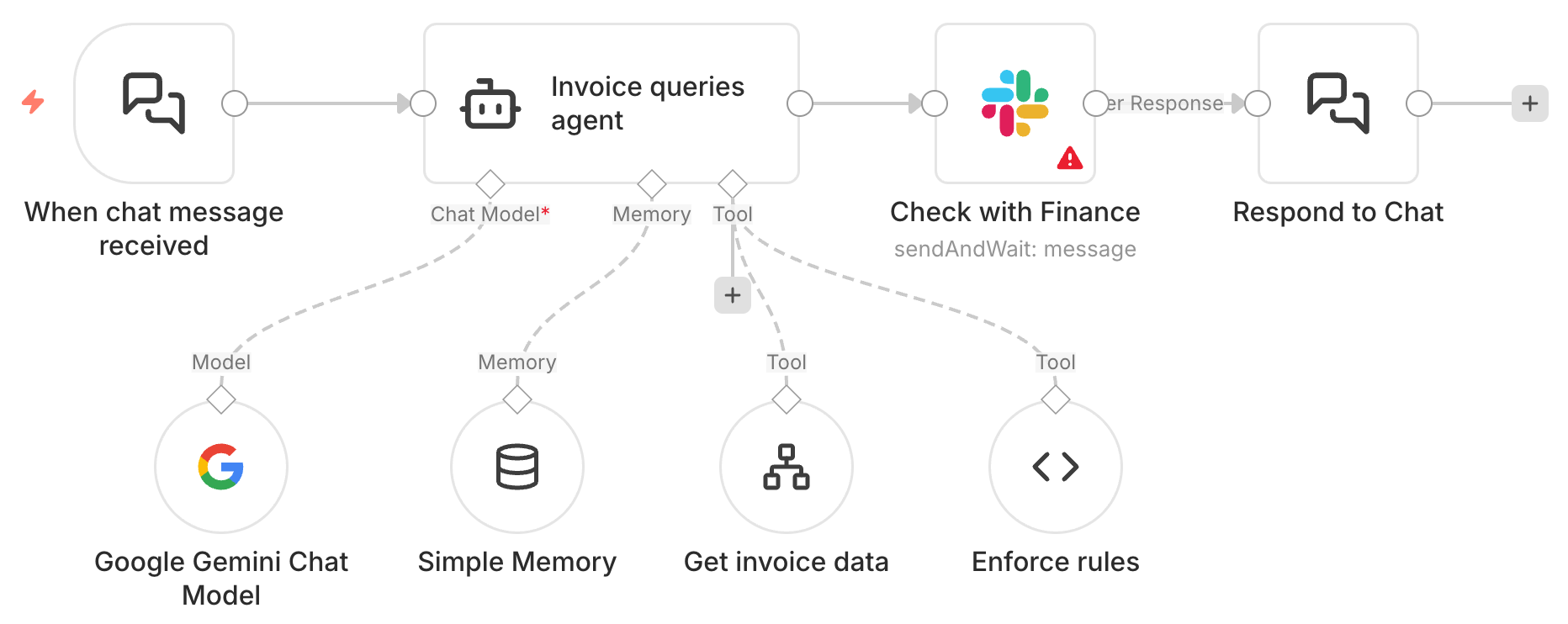
Using n8n, you can deploy agents to fix even the trickiest disconnects:
Prepare content to facilitate cleaner Handovers and Huddles, such as release notes and product documentation.
Simulate a recipient to verify that incoming data is sufficient, alerting the sender immediately, and saving the human recipient’s time.
Act as a cross-domain “translator”, enabling a recipient to “chat” with incoming data, rather than struggling with technical content.
Automate admin work, specifically data validation and entry, where speed matters and the outcome can be easily verified.
True to the probabilistic nature of LLMs, agents are flexible, but results will vary. For reliably accurate output, stick with rules-based automation. They require extensive data “plumbing” and testing before they can be safely deployed.
However, their ability to reason makes agents infinitely more powerful than rulesets. They adapt to specific situations where “one-size-fits-all” fails and can handle unpredictable datasets. Importantly, they can be programmed to learn and improve over time.
5. Closing: Get real with AI Agents
The AI industry, keen to keep the hype train on its tracks, has found a new hero in Agents. We are seeing instances of agent-washing, where simple automation is disguised as advanced AI. To unlock real value, ignore the technology and focus on your workflow:
Adopt a Workflow Design framework: use Dynamic Work Design - or another framework - to visualise the workflow and uncover where errors and delays occur.
Fix the disconnects: address problematic information flows by improving communication or implementing rule-based automation.
Deploy AI agents to accelerate: create further efficiencies with agents that can reason and act: “translating” docs, simulating interactions and handling admin.
Five years ago, describing AI content generation as “game-changing” would have earned you a few confused looks. Yet, the sheer volume of documentation created by companies has already transformed the workplace.
We are now ready to tackle teamwork and coordination. Accelerating workflows will impact value chains, supply chains, and entire economies. As with most generalist technologies, we will overestimate their short-term impact and underestimate their long-term effects.